
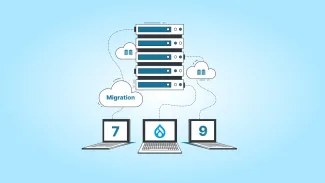



So, you have decided to migrate from Drupal 7 to Drupal 9—awesome! It’s a big step, but it’s definitely worth it.
But what’s the hype around Drupal 9?
Well, Drupal 9 is faster, more secure, and comes with features that make managing your site easier. But honestly, that’s not the best part yet.
Drupal 9 is built on a cleaner, more modern foundation compared to Drupal 7. This means better performance, simpler updates in the future, and a more flexible system that will grow with your site’s needs.
We know you are probably used to Drupal 7. But with Drupal 7 nearing its end of life, sticking with it could leave you exposed to some serious security risks, bugs, and limited functionality.
So migrating to Drupal 9 means future-proofing your site. And don’t worry—it’s certainly not as complicated as it sounds. Sure, it will take some planning, but once your site is up and running, you will see the true benefits of Drupal 9.
Drupal 7 to 9 Migration Simplified
There are two approaches to Drupal 7 to Drupal 9 migration. Let’s look into them.
1. Direct Migration
This method works for simpler sites with straightforward data and default configurations provided by Drupal Core.
- Steps: Connect the Drupal 7 database to the Drupal 9 site and run the migration process.
- Limitations:
- Migration is automated, offering limited control.
- Higher chances of data loss or errors.
- Manual verification is required to ensure data accuracy.
- When to Use: Suitable for smaller sites with minimal customizations.
2. Step-by-Step Migration (D7 → D8 → D9)
This approach is better for complex sites with custom Drupal modules, intricate data structures, or theme customizations.
- Steps:
- Migrate from Drupal 7 to Drupal 8, then from Drupal 8 to Drupal 9.
- Address compatibility issues and replace or patch unsupported modules at each step.
- Ensure thorough testing after each migration phase.
- Advantages:
- Safer and more controlled process.
- Ensures all key functionalities and data are preserved.
- When to Use: Ideal for larger or heavily customized sites, ensuring smoother transitions and better compatibility.
Now, in this blog post, we will see the detailed migration process for approach 2.
Preparing for Your Drupal 9 Migration
Before jumping into the migration, the first thing you should do is check if your key contributed modules are compatible with Drupal 9. You will want to ensure your site can smoothly transition without any roadblocks. Here’s a checklist to help you prepare for the upgrade:
Drupal 9 Preparation Checklist
- Update to the Latest Version of Drupal 8: Make sure your site is running the latest minor version, Drupal 8.9. Upgrading from anything earlier than Drupal 8.8 won't be supported. If your site is not updated, check this for Drupal 7 to Drupal 8 migration.
- Check PHP Version: Upgrade your PHP to version 7.3 or higher to meet Drupal 9’s requirements.
- Address Deprecated Code: Use the Upgrade Status module to identify and fix any deprecated code on your site. Clean code is essential for a smooth migration.
- Determine Your Site’s Setup: Check whether your site uses Composer or tarballs. This will impact how you approach the migration process.
Useful Tools and Modules for the Upgrade
When you are ready to begin your migration to Drupal 9, these tools and modules will make the process easier and more efficient:
- Core Migrate Module Suite: This is essential for migrating your content and site configuration from Drupal 7 to Drupal 9. It handles the migration process, transferring content, fields, and structure.
- Upgrade Status Module: This module checks the compatibility of your contributed modules with Drupal 9. It helps identify if your current modules will work or if you need to update or replace them.
- Upgrade Rector: This tool automates the process of updating deprecated code. It helps bring Drupal 8 sites up to Drupal 9 standards, saving time and reducing manual work.
- Drupal Module Upgrader: If you're still using Drupal 7, this tool scans and updates outdated code, helping you make your site Drupal 9-ready by identifying what needs to be fixed or replaced.
Using these tools, you can ensure that the migration process goes smoothly and your site will be up to date with Drupal 9’s requirements and standards.
Our experienced team ensures a smooth migration process, from content transfer to site optimization.
Drupal 7 to Drupal 9 Migration (Expert Guide)
Migrating from Drupal 7 to Drupal 9 involves more than just transferring content and modules—it’s about ensuring that all relationships between content, taxonomy, and other entities remain intact, optimizing your modules, and modernizing your theme. Let’s break this down into key areas:
1. Content Types, Taxonomy, and Modules
During migration, it's important to maintain data integrity to ensure that all relationships between content, taxonomy, and other entities (like users, nodes, and comments) are preserved. This is especially crucial for sites with complex data structures. Here's how you can ensure a seamless migration:
- Data Integrity: Check that content relationships (e.g., content types connected to taxonomy terms, user roles assigned to nodes, etc.) are correctly migrated. You can use the Migrate API to automate these tasks and preserve entity relationships. The Migrate Plus module provides additional flexibility for handling complex data relationships.
- Automating Content Migration with the Migrate API: If your site has complex data structures, the Migrate API can automate much of the content migration process. This tool allows you to migrate bulk content, custom fields, and entities, reducing the risk of manual errors. The API can also help migrate content in stages, enabling better control over how content is mapped and migrated between Drupal 7 and Drupal 9.
- Taxonomy Migration: If you are migrating taxonomy structures, make sure to review how taxonomy terms are linked to content types and ensure these relationships are carried over properly during the migration process. This might involve custom website migrations or using the Migrate API with predefined field mappings.
2. Streamlining Modules
When migrating your site, you will most likely encounter a variety of modules—both core and contributed—that need to be reviewed. Drupal 9 brings updates that may make some older modules no longer needed. Here’s how to handle your modules:
- Evaluating Module Replacements: Some modules from Drupal 7 are now either included in Drupal Core or have been replaced by more modern alternatives in Drupal 9. For instance:
- The Panels module is no longer necessary in Drupal 9, as its functionality is now covered by Layout Builder, which provides a more flexible and modern approach to site layout.
- The Context module, used for contextual configurations, is replaced by Block Layout and Custom Block Types in Drupal 9.
- Features and Strongarm can often be replaced by Drupal’s configuration management system, which provides better control over configurations between environments.
- MoSCoW Prioritization: When reviewing modules, categorize them using the MoSCoW method (Must-Haves, Should-Haves, Could-Haves, and Won’t-Haves). This will help you streamline your site and avoid migrating unnecessary modules:
- Must-Haves: These are essential modules like Views, Pathauto, and Admin Toolbar that are critical to your site’s functionality.
- Should-Haves: These are important but can be migrated after the initial migration phase. Modules like Rules or Panels might fall into this category.
- Could-Haves: Non-critical modules such as development tools like Devel can be excluded from the migration process initially.
- Won’t-Haves: Outdated or unsupported modules (e.g., those no longer maintained or incompatible with Drupal 9) should be removed before migration begins.
- Handling Module Removals: Decide whether to remove unused or incompatible modules before starting the migration or whether you should address them after the migration. It's often easier to remove unnecessary modules beforehand, as this can reduce potential conflicts and errors during the migration process.
3. Migrating Themes
Migrating your theme to Drupal 9 offers a chance to modernize and align it with current best practices. The migration process will differ depending on how customized your Drupal 7 theme is. Here’s how to handle it:
- Assessing Your Existing Theme: Before migrating your theme, assess its compatibility with Drupal 9. If the theme relies on deprecated APIs, such as theme_settings() or custom theme functions, it may require significant updates to align with Drupal 9’s new theming system.
- Using Twig Templating: Drupal 9 uses Twig as its templating engine instead of the older PHP template used in Drupal 7. If your theme includes custom templates or overrides, you will need to convert them to Twig syntax. This provides better security, flexibility, and performance.
- Rebuilding vs. Updating: For heavily customized themes, you may find that rebuilding the theme using Drupal 9’s standards is more efficient than simply updating the old code. Use modern front-end technologies like Sass, CSS Grid, or Flexbox for styling, which offer better flexibility and responsiveness compared to older CSS techniques. This also ensures that your theme is ready for mobile-first web design.
- Modernizing Theme Features: If your theme uses deprecated features (e.g., custom blocks, theme-specific settings), replace them with Drupal 9’s core features, such as Custom Block Types, Layout Builder, and Block Layout, which offer a more powerful and flexible approach to creating and managing layouts.
Performance Optimization in Drupal 9
Once your site has been migrated to Drupal 9, it's important to focus on Drupal performance optimization to ensure fast loading times and a smooth user experience. While Drupal 9 is a performance-driven platform out of the box, there are several optimizations you can make.
Key Performance Optimization Strategies
- Enable Caching
- Page caching: Ensure that page caching is enabled for anonymous users. This will drastically improve loading times for static content.
- Dynamic Page Cache: Enable dynamic page caching for authenticated users to boost performance for logged-in visitors.
- Redis or Memcache: Use caching backends like Redis or Memcache to store rendered pages or data objects in memory, reducing database load.
- Optimize Database Queries
- Review and optimize database queries to avoid performance bottlenecks.
- Use tools like Query Log and Devel module to identify slow or inefficient queries.
- Make sure indexes are properly set up for faster database access.
- Optimize Images and Media
- Use the ImageMagick or GD library for image optimization.
- Implement responsive images to ensure the site loads appropriately on different devices and resolutions.
- Minify CSS and JavaScript
- Minify and aggregate CSS and JavaScript files to reduce file sizes and the number of HTTP requests.
- Drupal 9 includes built-in support for CSS and JavaScript aggregation.
- Content Delivery Network (CDN)
- Implement a CDN (such as Cloudflare or AWS CloudFront) to deliver static assets like images, CSS, and JavaScript more quickly to users worldwide.
- Performance Monitoring Tools
- Use Drupal's built-in monitoring tools and third-party services (e.g., New Relic, Google PageSpeed Insights) to continuously track and improve site performance.
Rigorous Testing
Without comprehensive testing of your site, issues could arise that can compromise the functionality and user experience may go unnoticed. Here are key aspects of rigorous testing during the migration:
- Functional Testing
- Core Features: Verify essential features like user login, content creation, and search.
- Custom Modules: Ensure custom modules are updated and compatible.
- Content Accuracy: Check that content, including taxonomy and media, migrates correctly.
- Performance Testing
- Load Testing: Evaluate site performance under load.
- Page Speed: Test site speed and ensure optimal load times.
- Compatibility Testing
- Theme Compatibility: Ensure your theme works with Drupal 9.
- Module Compatibility: Verify that third-party modules are compatible or find alternatives.
- Browser Testing: Test across major browsers to ensure consistent appearance and functionality.
- Regression Testing
- Data Integrity: Check that old content and user interactions are intact.
- Error Logs: Monitor logs for any issues.
- UX Testing: Test with users to ensure a seamless experience.
- Security Testing
- Permissions: Ensure correct role and permission settings.
- Security Updates: Apply the latest security patches for core and modules.
- Staging Environment Testing
- Test in Staging: Perform tests in a staging environment before going live.
- User Acceptance Testing: Get feedback from stakeholders to ensure the site meets expectations.
Launching and Post-Migration Maintenance
The migration to Drupal 9 is complete, but there’s still more work to ensure your site remains secure, functional, and performant. The launch phase and ongoing maintenance are key to ensuring long-term success.
Final Launch Checklist
- QA and UAT (User Acceptance Testing) Ensure all stakeholders test the site before going live to ensure everything is working as expected. Double-check all workflows, permissions, and user roles.
- Backups and Rollback Plan Take a full backup of the site (files and database) before launching. Have a rollback plan in place in case issues arise after launch.
- SEO Considerations Verify that all SEO configurations (meta tags, redirects, URL structure) are in place. Use the XML Sitemap module to regenerate and resubmit your sitemap to search engines.
- Launch Announcement If appropriate, announce the migration to users and visitors, highlighting the new features, design, and improvements.
Post-Migration Maintenance
- Monitor Site Performance and Errors Regularly monitor server and site performance, especially after launch, to catch potential issues early. Use error logging to catch and resolve issues quickly.
- Security Updates Keep the site’s Drupal core and contributed modules up to date with the latest security patches. Subscribe to the Drupal support and security mailing list to stay informed about security releases.
- Regular Backups Set up automated backups to ensure the site’s content and configuration are regularly saved. Test your backup and restore process to ensure it works if you need it.
- Performance Audits Perform regular Drupal performance audits (e.g., every 6 months) to check for potential bottlenecks or areas for improvement. Continuously optimize the site as it grows to ensure consistent user experience.
- Content Review and Updates Regularly review your content types and taxonomy. Ensure that content is up to date and that old content is archived or deleted if necessary. Update site features based on feedback and evolving user needs.
Conclusion
Remember this, Drupal 7 to Drupal 9 is not just about upgrading your CMS—it’s about future-proofing your site, enhancing performance, and staying secure.
We understand that this process might seem too much at first, however, with careful planning, a structured approach, and the right tools, you can ensure a smooth transition. Whether you choose a direct Drupal migration for simplicity or a phased approach for complex setups, the key is to stay focused on your site’s goals and user experience.
Also, this migration is a wonderful opportunity to revisit your content, refine your site’s structure, and streamline your modules for better efficiency and maintainability. With Drupal 9’s modern architecture and powerful features, your site will be ready to scale and adapt to your future needs.
cmsMinds offers end-to-end migration services to ensure your site is up and running on the latest Drupal version.
1. What is the difference between Drupal 7 and 9?
Drupal 9 offers improved performance, modern code, and better security compared to Drupal 7. It has updated dependencies, more user-friendly features, and improved compatibility with modern technologies. Drupal 7 is outdated and no longer receives regular updates or support, while Drupal 9 is the latest version with ongoing development and security patches.
2. How do I upgrade to Drupal 9?
To upgrade to Drupal 9, follow these steps:
- Ensure your site is running Drupal 7.
- Review your modules and themes for compatibility with Drupal 9.
- Update or replace outdated modules and themes.
- Migrate content and settings using tools like the Upgrade Status and Migrate modules.
- Test the site in a staging environment before going live.
- Launch the upgraded site.
3. How to upgrade Drupal 7 to Drupal 10?
To upgrade from Drupal 7 to Drupal 10:
- First, upgrade to Drupal 9, as a direct jump to Drupal 10 is not possible.
- Ensure all your modules, themes, and custom code are compatible with Drupal 9.
- Once on Drupal 9, upgrade to Drupal 10 by updating core and modules, and testing compatibility.
- After migrating to Drupal 9, upgrade to Drupal 10 by following similar steps (updating core, modules, and testing).
- Test thoroughly before going live with Drupal 10.
4. How long does it take to upgrade from Drupal 7 to Drupal 9?
The time it takes to upgrade from Drupal 7 to Drupal 9 depends on factors like the complexity of your site, the number of custom modules and themes, and how much content needs to be migrated. Typically, the process can take anywhere from a few weeks to several months. It's essential to plan for testing, troubleshooting, and adjustments to ensure everything works properly after migration.
5. How much does it cost to upgrade from Drupal 7 to Drupal 9?
The cost of upgrading from Drupal 7 to Drupal 9 varies depending on the size and complexity of your site. It typically involves costs for development, testing, and possible redesigns of themes or custom modules. Small sites might see costs starting from a few thousand dollars, while larger, more complex sites could cost significantly more. It’s best to consult with a Drupal development agency or Drupal migration services provider to get a customized estimate based on your specific needs.